Mode 01
Fn+1
Raw Dictation
Plain transcription. No rewrite. Styles intentionally stay off.
style offOutputexactly what you said, cleaned only by transcription
PasteVox turns your voice into dictation, coding-agent prompts, terminal commands, snippets, and scratchpad notes — directly inside the macOS app you are already using.
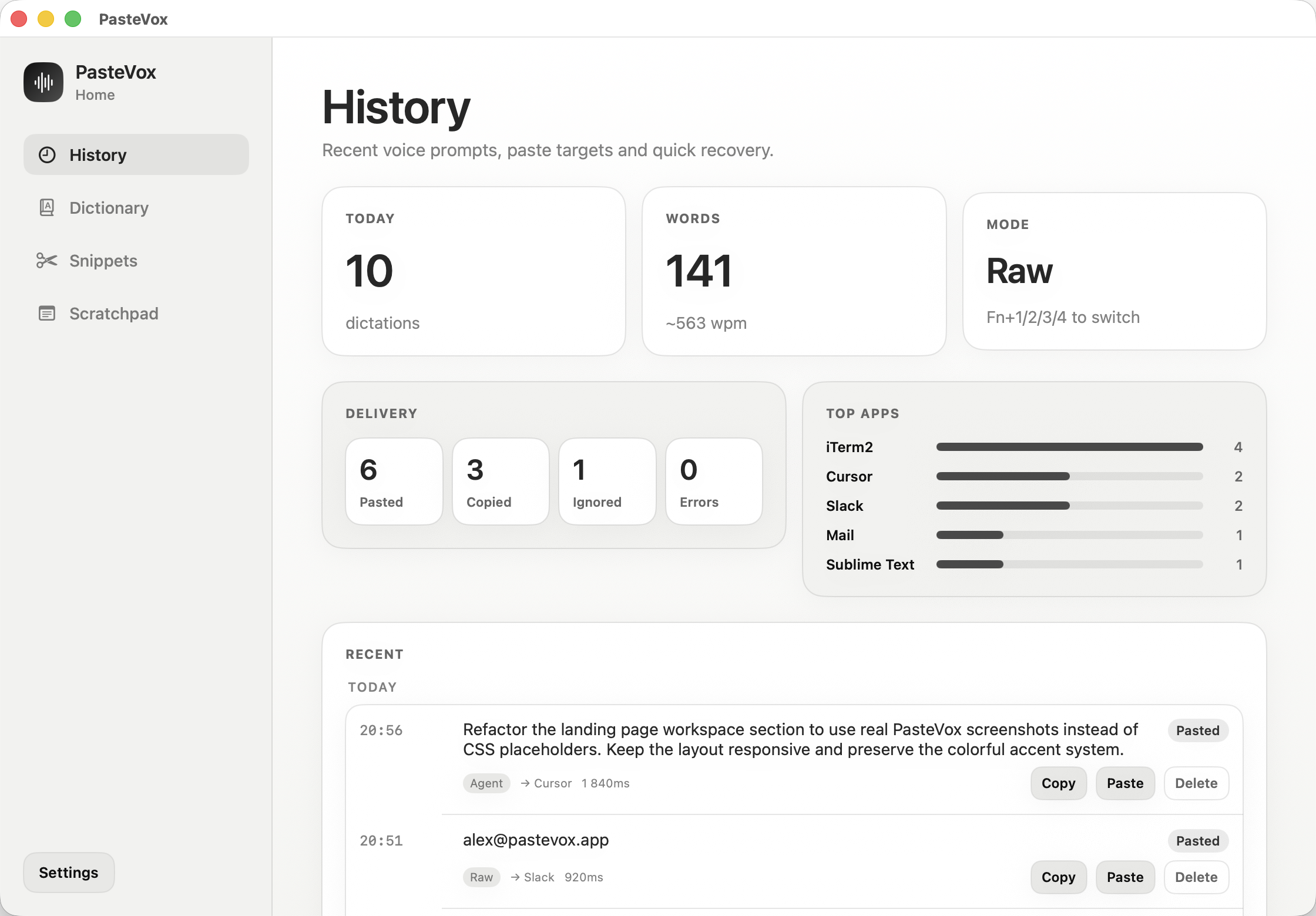

Hold Fn, Right Option or Right Command, speak naturally, and it pastes into the active app. PasteVox lives in the menu bar — Settings stay out of the way until you need them.
Start recording with Fn/Globe, Right Option or Right Command. The HUD shows when PasteVox is listening.
Dictate naturally. Use raw dictation, agent prompts, RALPH prompts or terminal command mode.
PasteVox transcribes, optionally rewrites, expands snippets and pastes into the frontmost app.
Fn+1…4 switches modes. Fn+5…0 switches writing styles for post-processed modes; Fn+- selects Email. The selected hold key works too.
Plain transcription. No rewrite. Styles intentionally stay off.
style offTurns rough speech into a clear coding-agent task.
Fn+5…0 stylesStructured prompt with role, goal, context, constraints and acceptance criteria.
structuredGenerates commands, but risky output is blocked and shown as a commented preview.
safety gateStyles are quick modifiers for post-processed modes. Switch from concise to friendly, formal, coding-agent, chat, or email without opening Settings. Raw dictation stays raw.
Home is for recovery and writing. Settings are only for configuration and debugging.
Recover recent dictations, inspect the target app, see delivery status and copy or paste the result again.
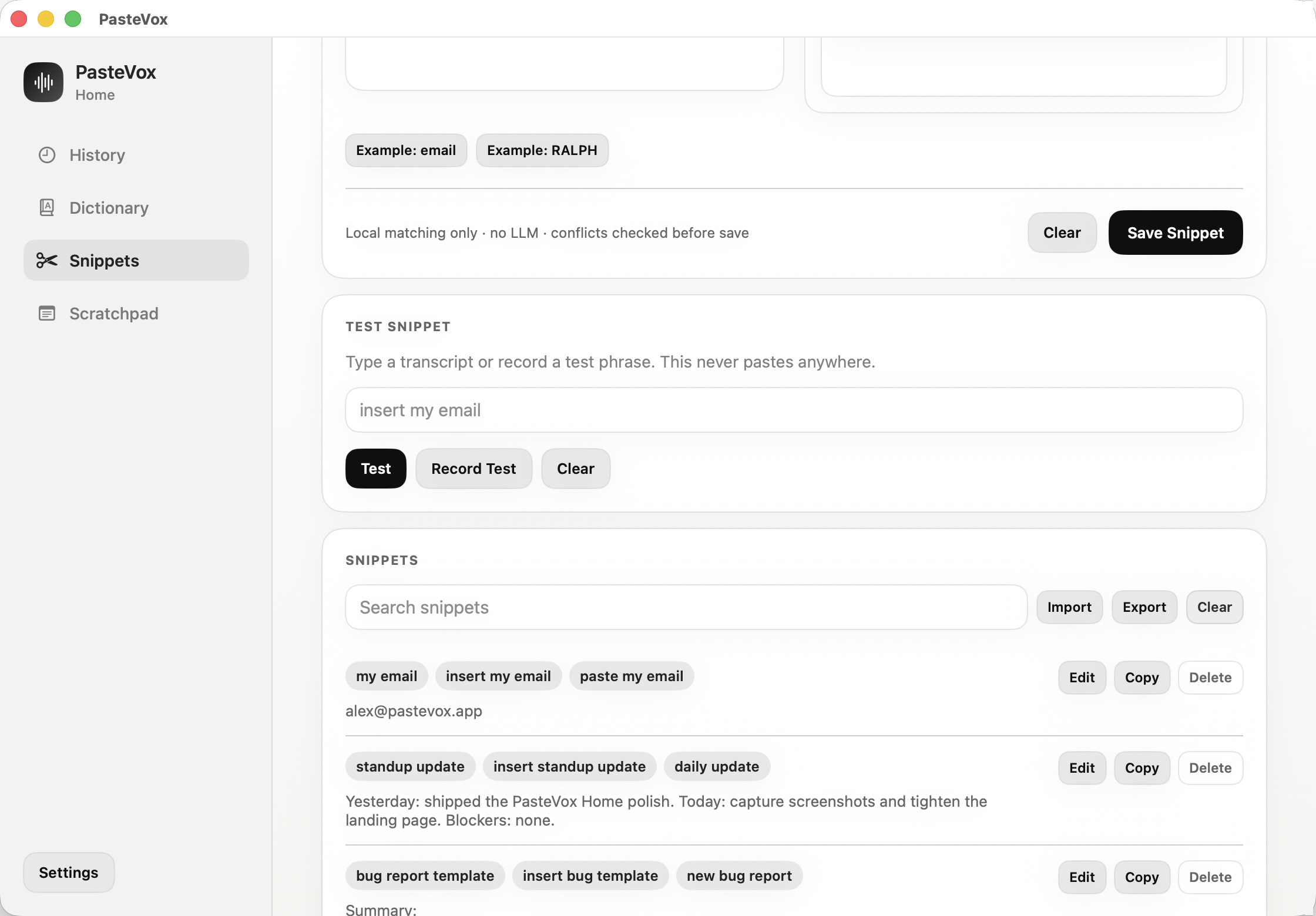
Say a short trigger and PasteVox inserts the exact replacement locally, without sending the snippet to an LLM.
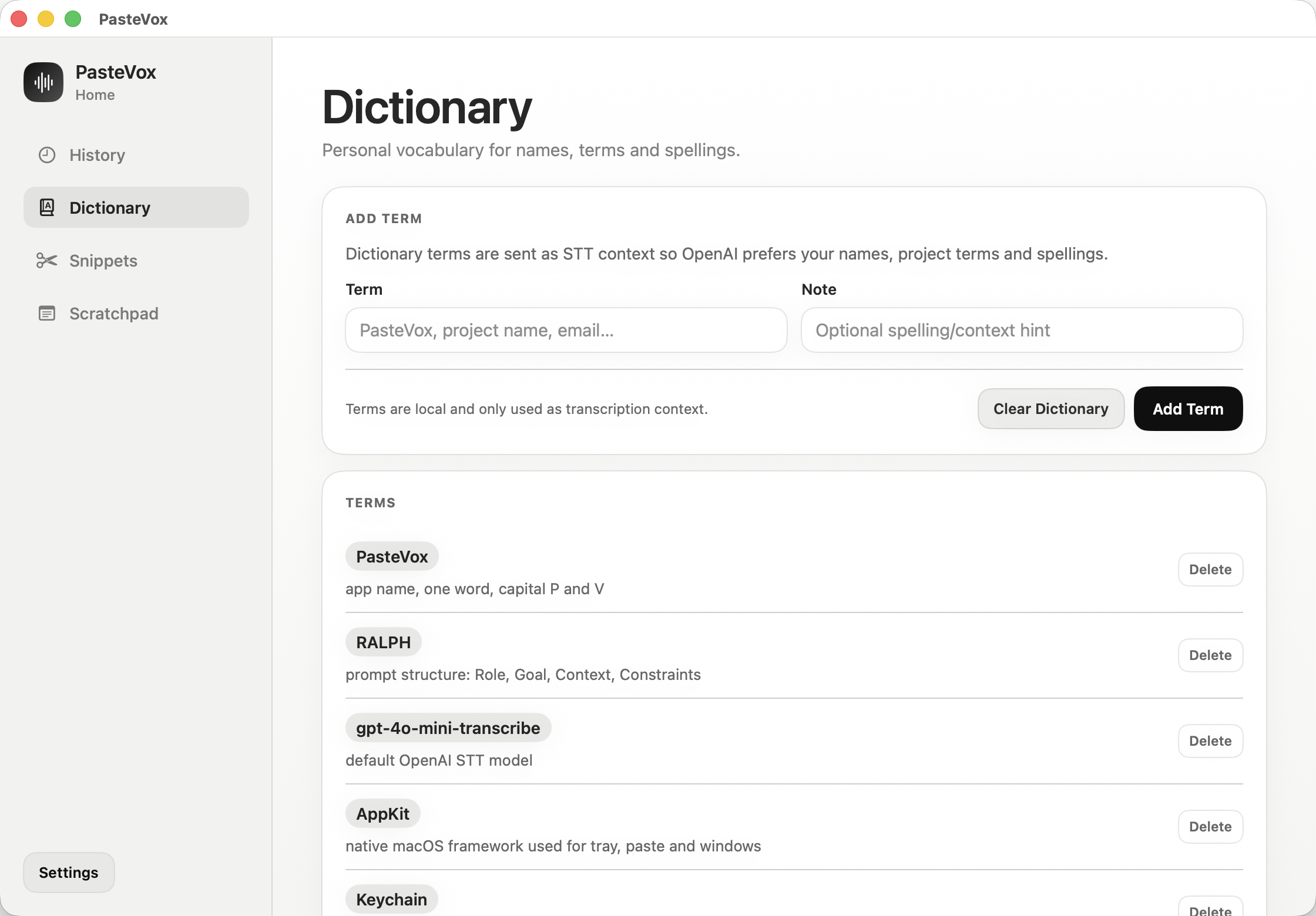
Add project names, acronyms, emails and product terms so speech recognition gets the important words right.
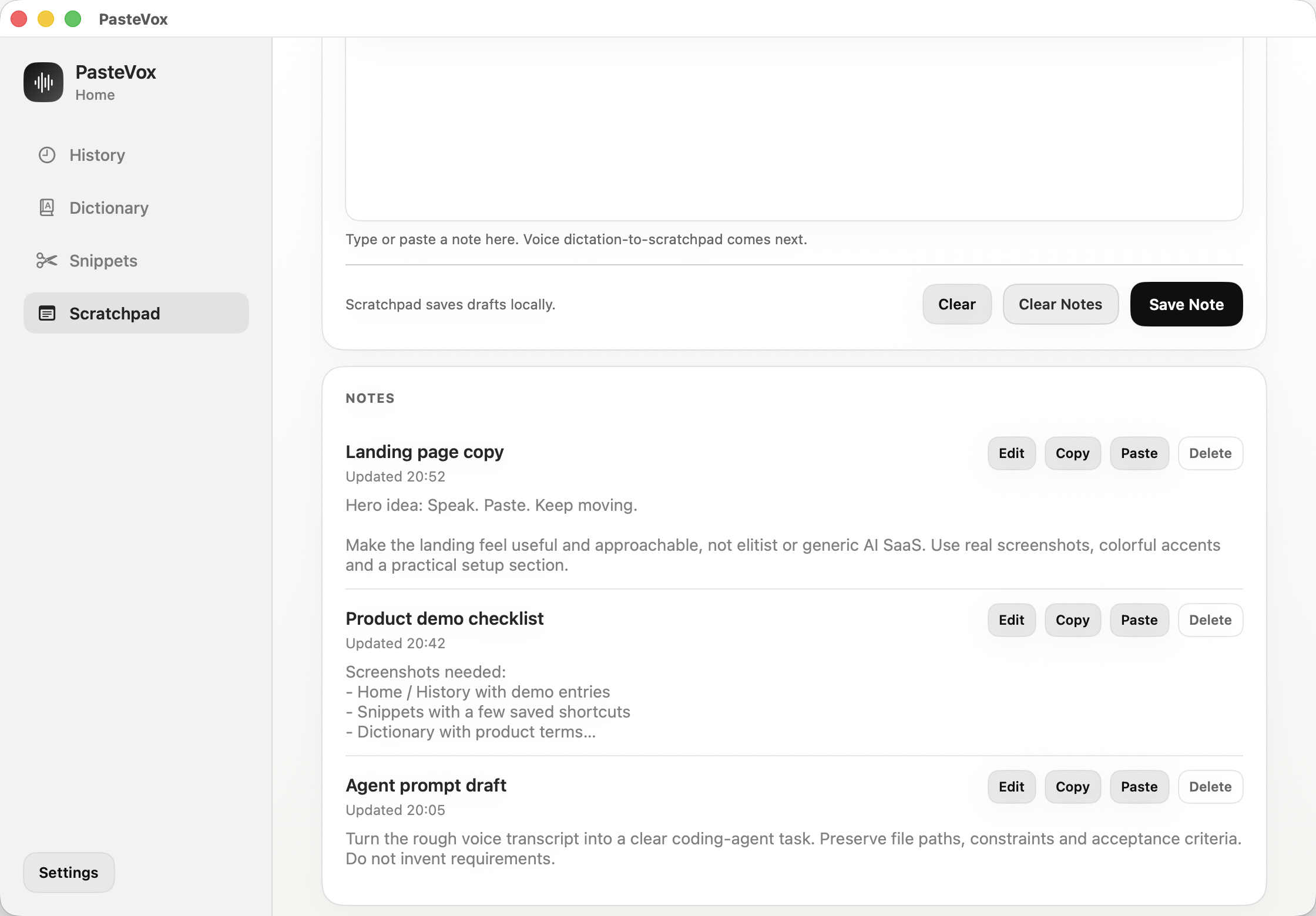
Capture longer notes and prompts first, then copy or paste them when they are ready.
PasteVox is designed as a small open-source macOS utility, not a hosted writing platform.
Open-source and explicit about the sensitive parts: where the key lives, when audio is sent, and what stays on your Mac.
Used when you ask PasteVox to transcribe or post-process. Not read just to start the app.
Trigger phrases expand deterministically on your Mac. No model call is needed.
Recent outputs, target apps and delivery status stay in Home so failed paste is recoverable.
Risky terminal commands are stopped and shown as comments instead of being pasted blindly.
Install into /Applications for stable Accessibility permissions, then grant the permissions PasteVox needs to record and paste.
Keep macOS permissions stable by running the packaged app from the normal Applications path.
PasteVox stores the key in macOS Keychain and keeps Settings separate from the Home workspace.
Allow recording so hold-to-talk can capture voice and send it for transcription.
Required for reliable global shortcuts and paste into the frontmost macOS app.
Download packaging is on the way. For now, build from source or use the local app bundle generated by the project scripts.